
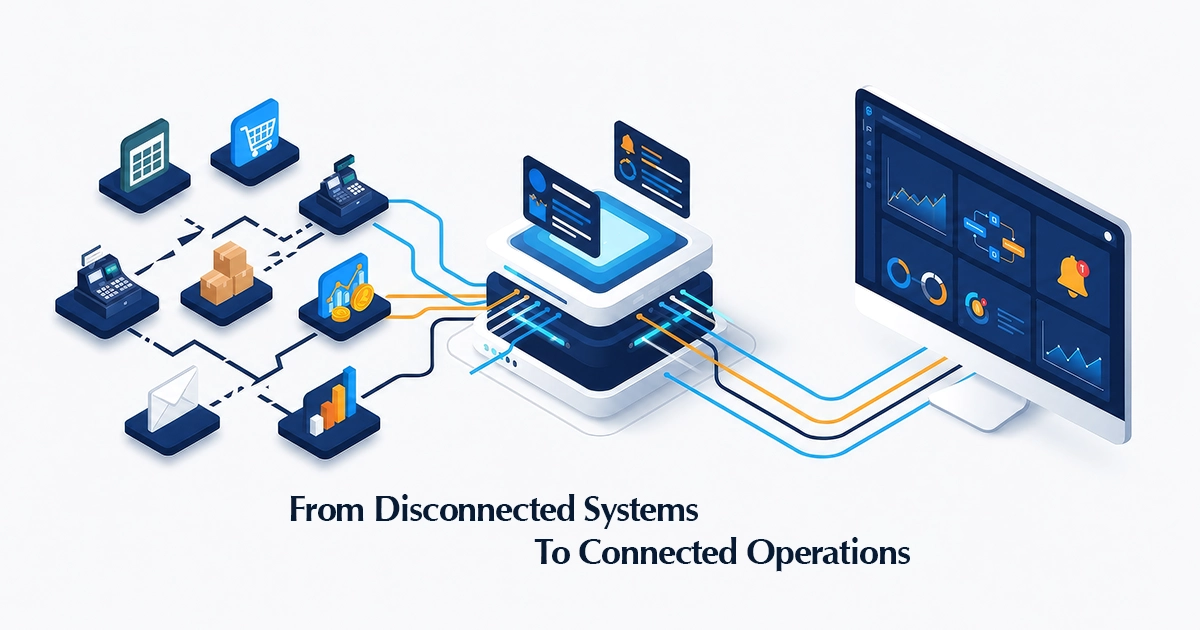
Spreadsheets are often where business systems begin.
They are affordable, familiar, and flexible. A growing company may use one spreadsheet for inventory, another for purchasing, a separate file for sales reporting, and several more for project tracking, expenses, or production planning.
At the same time, different departments may rely on separate software platforms. Sales teams use one application. Finance uses another. Inventory records sit somewhere else. Approvals happen through email or WhatsApp, while management reports are prepared manually at the end of the week.
For a small operation, this setup may appear manageable.
But as the company grows, the same tools that once supported the business can begin to restrict it.
The problem is not necessarily that spreadsheets are bad or that every existing application needs to be replaced. The real problem is that information, processes, and decisions become scattered across systems that do not work together.
That is when disconnected business systems begin creating hidden operational costs.
From our experience working with retail, technology, and digital operations, growing businesses rarely struggle because they have no technology. As the business expands, teams begin relying on manual exports, spreadsheets, messages, and repeated follow-ups to keep those systems aligned.
Table of Contents
- What are Disconnected Business Systems?
- Signs Your Business Has Outgrown Its Current Systems
- The Hidden Costs of Disconnected Software
- Why Buying More Software May Not Solve the Problem
- A Better Approach to Connected Operations
- A Practical Example from Apparel and Manufacturing
- Questions to Ask Before Investing in a New System
- Custom Software or Off-the-Shelf Software?
- Digital Transformation Begins with the Workflow
- Final Thoughts
What Are Disconnected Business Systems?
Disconnected business systems are tools, applications, spreadsheets, and databases that support different parts of an organization but do not exchange information effectively.
For example, a business may use:
- An e-commerce platform for online orders
- A point-of-sale system for retail stores
- Spreadsheets for inventory planning
- Accounting software for financial records
- Email for purchase approvals
- WhatsApp for operational follow-ups
- Separate dashboards for management reporting
Each tool may perform its individual function well. The difficulty begins when employees must manually move information from one system to another.
An order may be copied into a spreadsheet. The spreadsheet may then be emailed to another department. A team member may update stock manually, while someone else prepares a separate report for management.
The business technically has digital tools, but the underlying process is still manual.
Put simply, a system becomes disconnected when employees must act as the connection between different applications. They download files, copy data, send screenshots, request updates, or maintain separate records because information does not move automatically between departments.
A business may therefore appear highly digital while still depending on manual work behind the scenes.
A Common Integration Challenge
Consider a business that receives transactions through an online platform while finance and operations work in separate systems. Connecting the platforms through an API may appear to be the complete solution. However, the business must also decide what happens when a transaction fails, who investigates mismatched records, how refunds are handled, and which system holds the final approved record.
In situations like this, technical integration is only one part of the project. Clear ownership, exception handling, reconciliation, and reporting are equally important. Without these decisions, an automated process can still create confusion.
Signs Your Business Has Outgrown Its Current Systems
1. Employees Enter the Same Information More Than Once
Duplicate data entry is one of the clearest signs of disconnected operations.
A customer order may be entered into the sales system, copied into an inventory file, forwarded to finance, and then added to a separate management report.
This consumes time and increases the likelihood of typing errors, missing records, conflicting versions, delayed updates, and incorrect reporting.
When the same information must be entered repeatedly, the business is relying on people to perform the work that integrated systems should handle automatically.
2. Different Departments Report Different Numbers
Sales may have one revenue figure, finance may have another, and operations may be working from a third version.
This is often described as the absence of a single source of truth.
The issue is not always that one team has made a mistake. Different departments may be using data extracted at different times, applying different definitions, or maintaining their own records independently.
As a result, meetings become focused on validating numbers instead of making decisions.
This issue is especially common in retail environments where store sales, online orders, inventory movements, returns, and financial records may be captured in different systems. Even a small difference in timing or transaction status can cause teams to report different numbers for the same period.
3. Management Reports Take Too Long to Prepare
In many growing businesses, weekly and monthly reports are not generated directly from a connected data source.
Instead, employees collect information from multiple applications, update spreadsheets, check formulas, create charts, and manually prepare summaries.
By the time the report reaches management, the information may already be outdated.
Business intelligence should help leaders understand what is happening now—not only what happened several weeks ago.
The effort is often not limited to creating the report. Teams may spend additional time checking whether data was exported from the correct date range, whether cancelled transactions were excluded, and whether different departments are using the same definitions.
4. Important Processes Depend on One Person
A process becomes risky when only one employee knows where the latest file is stored, which spreadsheet contains the correct information, how a report is prepared, which approval is still pending, or how records from different systems are reconciled.
When that person is unavailable, the process slows down or stops completely. It also makes onboarding difficult because undocumented knowledge must be transferred informally.
A well-designed business system should reduce dependence on individual memory.
5. Approvals and Follow-ups Happen Manually
Purchase approvals, expense requests, production updates, vendor follow-ups, and project decisions are often handled through messages and email threads.
These channels are useful for communication, but they are not reliable workflow-management systems.
Requests can be overlooked. Responsibilities may remain unclear. Employees may not know whether a task is pending, approved, rejected, or waiting for additional information.
Automated workflows create defined stages, ownership, reminders, and approval histories.
6. Teams Cannot See the Complete Process
When systems are disconnected, each department sees only its own part of the operation.
Procurement may know that materials were ordered, but production may not know when they will arrive. Sales may confirm an order without seeing the latest stock position. Management may receive a consolidated view only after someone manually prepares it.
This lack of visibility creates reactive decision-making. Teams spend their time asking for updates rather than working from shared, current information.
The Hidden Costs of Disconnected Software
Lost Employee Time
Every hour spent copying, checking, correcting, and reconciling information is time that could have been used for customer service, planning, analysis, or improvement. These tasks may appear small individually, but they accumulate across teams and departments.
Higher Error Rates
Manual handovers create more opportunities for mistakes. One incorrect stock figure can affect purchasing. One missed approval can delay production. One outdated price can create a customer issue.
Slow Decision-Making
Leaders cannot make timely decisions when information is incomplete or delayed. They may have to wait for reports, contact multiple departments, or verify whether the available numbers are correct.
Poor Customer Experience
Disconnected internal operations eventually affect customers. Orders may be delayed because stock information was inaccurate. Support teams may not have access to the latest customer history. Sales staff may promise delivery dates without seeing operational constraints.
Difficulty Scaling
A manual process may work when a business handles 50 transactions per week. It may fail when volume increases to 500. Hiring more people to maintain the same inefficient process is not always a sustainable solution.
Why Buying More Software May Not Solve the Problem
When operational problems appear, the immediate response is often to purchase another tool.
However, adding software without reviewing the underlying workflow can make the situation worse.
We believe software selection should come after process understanding—not before it. A new application may have excellent features, but it will still fail to create value if roles, data ownership, approvals, and handovers remain unclear.
The new application may solve one departmental problem while creating another separate source of data. Employees may then need to copy information between even more platforms.
Before investing in additional software, a business should ask:
- What process are we trying to improve?
- Where does the process currently begin and end?
- Who is responsible at each stage?
- What information is required?
- Which systems already contain that information?
- Where do delays and errors occur?
- Does the new tool need to integrate with existing systems?
Technology should support a clearly understood process. It should not be used to cover an unclear one.
A Better Approach to Connected Operations
Step 1: Map the Current Workflow
Document how the process actually works today, including the people involved, systems used, data entered, decisions made, approvals required, handover points, common delays, and known exceptions. The actual process may be very different from the official process written in a policy document.
For example, mapping a purchase process should not stop at “create purchase order.” It should show who requests the purchase, who validates the requirement, who approves the cost, how the vendor is selected, how goods are received, and how discrepancies are resolved.
Step 2: Identify Bottlenecks and Duplication
Look for re-entered data, repeated approvals, manual status updates, unnecessary handovers, multiple versions of the same report, delayed reconciliation, and calculations that could be automated. Not every step should be automated; some should be simplified or removed first.
Step 3: Define the Source of Truth
Decide which system owns each type of information. Without clear data ownership, integration can simply move inconsistent information faster.
One of the most important questions is not simply where data is stored, but which system has the authority to confirm that the data is correct. A dashboard should not become another independent record. It should reflect information from clearly defined source systems.
Step 4: Connect Existing Systems
Application programming interfaces, commonly known as APIs, can allow separate platforms to exchange information. An online order may automatically create a sales record, update inventory, notify fulfilment, send information to finance, and refresh a management dashboard.
Step 5: Automate Repetitive Workflows
Once the process is clear, repeatable tasks such as approval routing, low-stock alerts, vendor reminders, invoice matching, report generation, task assignment, order-status notifications, and data validation can be automated.
Step 6: Build Useful Operational Visibility
Dashboards should help people understand what requires attention. Useful views may include sales performance, inventory movement, order fulfilment, procurement status, production progress, project risks, vendor performance, quality issues, and financial trends.
Step 7: Introduce AI Where It Adds Practical Value
AI can improve forecasting, classification, recommendations, anomaly detection, document processing, and operational analysis. However, AI should not be the first step when the underlying data is incomplete or the workflow is unclear.
AI cannot compensate for inconsistent product codes, incomplete transaction records, unclear process ownership, or unreliable historical data. In these cases, improving the data and workflow may create more immediate value than introducing an AI solution.
A Practical Example from Apparel and Manufacturing
Consider a garment or apparel business managing customer orders, materials, production, quality, and finished goods.
In a disconnected setup, orders arrive through email, material requirements are calculated in spreadsheets, procurement communicates with vendors manually, production updates are shared through messages, quality records are stored separately, reconciliation is completed at the end, and management receives status reports only after employees combine the data.
Different teams may also use separate references for styles, purchase orders, materials, and production batches, making reconciliation more difficult later in the process.
This creates delays and makes it difficult to identify where a problem occurred.
In a connected workflow, the order can move through defined stages:
- Customer order confirmation
- Material requirement planning
- Purchase-order management
- Goods receipt and inspection
- Production work orders
- Quality checks
- Finished-goods receipt
- Reconciliation and reporting
The real benefit is not only faster data entry. It is the ability to trace a delay or discrepancy back to the stage where it occurred.
Each department works within a shared process, while management gains visibility into progress, delays, costs, and exceptions.
The technology is important, but the real improvement comes from connecting people, decisions, and information.
Questions to Ask Before Investing in a New System
Before selecting or developing software, business leaders should answer a few practical questions:
- Which specific problem are we trying to solve?
- Which teams are affected by the process?
- Which system currently owns the relevant data?
- Where do delays, errors, and repeated tasks occur?
- Which exceptions must the system handle?
- Does the solution need to connect with existing platforms?
- How will success be measured after implementation?
Clear answers to these questions make it easier to compare off-the-shelf products, define custom software requirements, and avoid investing in features that do not solve the underlying problem.
Custom Software or Off-the-Shelf Software?
There is no universal answer.
Off-the-shelf software may be suitable when the business process is common and the company can adapt to the application’s standard workflow.
Custom software may be more appropriate when:
- The process creates a competitive advantage
- Existing platforms do not support the required workflow
- Multiple systems need to be integrated
- The business has industry-specific requirements
- Manual work remains high despite existing software
- The company needs greater control over features and data
In many cases, the best solution is hybrid.
A company may continue using its accounting, ERP, e-commerce, or customer-management platform while developing integrations, automation, dashboards, or custom operational modules around it.
The decision should begin with the business process, not with a preference for one type of technology.
Digital Transformation Begins with the Workflow
Digital transformation is often described in terms of cloud platforms, artificial intelligence, analytics, and automation.
But successful transformation begins with a more basic question: How does work move through the business today?
When that is understood, technology can be used to reduce friction, improve control, and create reliable information.
When it is ignored, businesses risk digitizing the same inefficient process.
Spreadsheets and individual applications may continue to play an important role. The goal is not to remove every tool. The goal is to ensure that systems support a connected operation rather than creating separate islands of information.
Final Thoughts
Growing businesses rarely become inefficient overnight.
The warning signs appear gradually: more spreadsheets, more manual follow-ups, more versions of the same data, and more time spent preparing reports.
Eventually, the company reaches a point where its existing systems no longer support the speed or complexity of its operations.
That is the right time to step back and examine the complete workflow.
The solution may involve integration, automation, business intelligence, custom software, or a combination of these approaches.
What matters most is that the technology is designed around how the business needs to operate.
Are Disconnected Systems Slowing Down Your Business?
Summerlytics helps businesses review workflows, identify operational bottlenecks, and design practical software, automation, data, and integration solutions around real business requirements.
